6 · Testing what matters
About 15 minutes
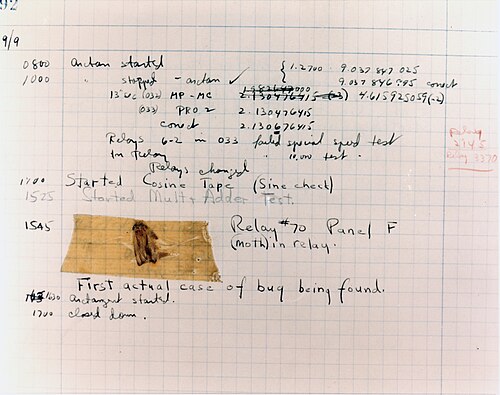
Image: public domain, via Wikimedia Commons.

By the end of this chapter you'll have automated tests for the one thing you can't afford to get wrong: the data-capture endpoint.
What a test looks like
A Django test sends appropriate inputs to a block of code, runs it, and checks the result. You run your tests again and again as you develop, so bugs can't creep in unnoticed. The first test here posts a submission with two trials and confirms one dataset lands in the database with both trials in its data field. Tests go in study/tests.py, another of the files startapp made for you. Replace what's in it with these imports:
from django.test import TestCase
from django.urls import reverse

from .models import Study, StudyData
and then the test class below them:
class DataCaptureTests(TestCase):
    """The data-capture endpoint is the heart of the platform, so it is the first
    thing we test."""

    @classmethod
    def setUpTestData(cls):
        # The test database starts empty, so make the study the tests post to. (The
        # finished app also seeds 'flanker' in a data migration, hence get_or_create.)
        Study.objects.get_or_create(
            slug="flanker", defaults={"name": "Flanker task", "code": "timeline.push();"}
        )

    def test_posting_trials_creates_a_dataset(self):
        url = reverse("study:data", args=["flanker"])
        payload = {
            "participant_id": "p01",
            "condition": "congruent-first",
            "trials": [
                {"rt": 512, "response": "f", "correct": True},
                {"rt": 634, "response": "j", "correct": False},
            ],
        }

        response = self.client.post(url, data=payload, content_type="application/json")

        self.assertEqual(response.status_code, 200)
        self.assertEqual(StudyData.objects.count(), 1)

        dataset = StudyData.objects.get()
        self.assertEqual(dataset.condition, "congruent-first")
        self.assertEqual(dataset.participant.external_id, "p01")
        # The whole run lands in one JSONField, in order.
        self.assertEqual(len(dataset.data), 2)
        self.assertEqual(dataset.data[0]["rt"], 512)
Note that:
reverse("study:data", ...)builds the URL from its name instead of hard-coding/api/study/flanker/data. If you rename your route later on this does not break your test- The test database is built afresh each time and thrown away afterwards. Your real data is never touched
- Because that database starts empty,
setUpTestDatacreates theflankerstudy the tests post to. It runs once for the class, and every test starts from that state
Test the failures too
We need to check failures too, such as:
- a
GETto the endpoint should be refused (405) - an unknown study should give a
404 - malformed JSON should give a
400and not save
Add these inside the same DataCaptureTests class, below the first test (keep the
indentation, so they belong to the class):
    def test_get_is_not_allowed(self):
        response = self.client.get(reverse("study:data", args=["flanker"]))
        self.assertEqual(response.status_code, 405)

    def test_unknown_study_returns_404(self):
        url = reverse("study:data", args=["does-not-exist"])
        response = self.client.post(url, data={"trials": []}, content_type="application/json")
        self.assertEqual(response.status_code, 404)

    def test_malformed_json_is_rejected(self):
        url = reverse("study:data", args=["flanker"])
        response = self.client.post(url, data="not json", content_type="application/json")
        self.assertEqual(response.status_code, 400)
        self.assertEqual(StudyData.objects.count(), 0)
Run them
You should see Ran 4 tests and OK. A failing test prints the assertion that broke and
the line it's on. I've put more test examples in the finished app's study/tests.py.
Typically tests are run automatically before you update your live server, with any failing test putting the brakes on the update. That way it's you who finds out something has broken, not your participants.
That's the core of the tutorial done. Chapter 7 sums up what you've built and where to take it next.