Study ownership: many-to-many
About 20 minutes
The relationships we built in chapter 4 are one-to-many: a study has many datasets, and each dataset belongs to exactly one study. What happens though when a study might be run by two collaborators, and they each might have several other studies with others? Meet the many-to-many relationship.
A model for researchers
Add a Researcher model to study/models.py. Put it above the Study class, just below the from django.db import models line. Study is about to refer to Researcher by name, and Python only knows a name once it has read it.
class Researcher(models.Model):
    """A researcher who owns and registers studies.

    This gives us the other half of a ManyToMany relationship with Study: one study can
    have several researchers, and one researcher can own several studies. Django creates
    the link table (``study_study_researchers``) for that relationship automatically.
    """

    name = models.CharField(max_length=200)
    email = models.EmailField(blank=True)

    def __str__(self):
        return self.name
Then we link it to Study with a ManyToManyField. Add this inside the Study class, indented like the other fields, just below completion_url:
    researchers = models.ManyToManyField(
        Researcher,
        related_name="studies",
        blank=True,
        help_text="The researcher(s) who own this study.",
    )
That's a new model and a new field, so both need migrating:
Remind me: how do I run a migration?
Changing a model changes the shape your database needs to be. makemigrations works
out what changed and writes it down as a migration file; migrate applies that file to
the database. Two commands, every time, in that order:
uv run python manage.py makemigrations   # write the migration from your model changes
uv run python manage.py migrate          # apply it to the database
The migration file is code, so commit it alongside the model change. That's what makes your database schema travel with the project.
You don't create a table for this yourself. Django makes a hidden link table,
study_study_researchers (the app name, then the model, then the field), with two foreign keys linking to the appropriate rows on other tables.
     Study               study_study_researchers         Researcher
 ┌────┬─────────┐       ┌────┬──────────┬───────────────┐   ┌────┬───────────────────┐
 │ id │ name    │       │ id │ study_id │ researcher_id │   │ id │ name              │
 ├────┼─────────┤       ├────┼──────────┼───────────────┤   ├────┼───────────────────┤
 │  1 │ Flanker │       │  1 │    1     │       1       │   │  1 │ Andy Woods        │
 │  2 │ Stroop  │       │  2 │    1     │       2       │   │  2 │ Laryssa Whittaker │
 └────┴─────────┘       │  3 │    2     │       2       │   │  3 │ Maruša Levstek    │
      ▲                 └────┴────┬─────┴──────┬────────┘   └────┴───────────────────┘
      │                          │            │                  ▲
      └──────────────────────────┘            └──────────────────┘
        study_id → Study.id            researcher_id → Researcher.id
Read the middle table a row at a time:
- Row 1 ties Flanker (study 1) to Andy Woods (researcher 1)
- Row 2 ties Flanker again, this time to Laryssa Whittaker (2), so one study has two owners
- Row 3 ties Stroop (2) back to Laryssa Whittaker, so one researcher owns two studies
Maruša Levstek (3) has no study yet: a researcher with no studies simply has no rows in the middle table. This is the same arrangement used in the paper's model diagram.
Reading a model relationship 'from either end'
Because we set related_name="studies", the relationship reads naturally in both
directions:
In the admin
Register Researcher and you get the usual admin screens for it, so you can add people
and see who is on the platform. In study/admin.py, add Researcher to the models import, so it reads from .models import Participant, Researcher, Study, StudyData, then add:
@admin.register(Researcher)
class ResearcherAdmin(admin.ModelAdmin):
    list_display = ["name", "email"]
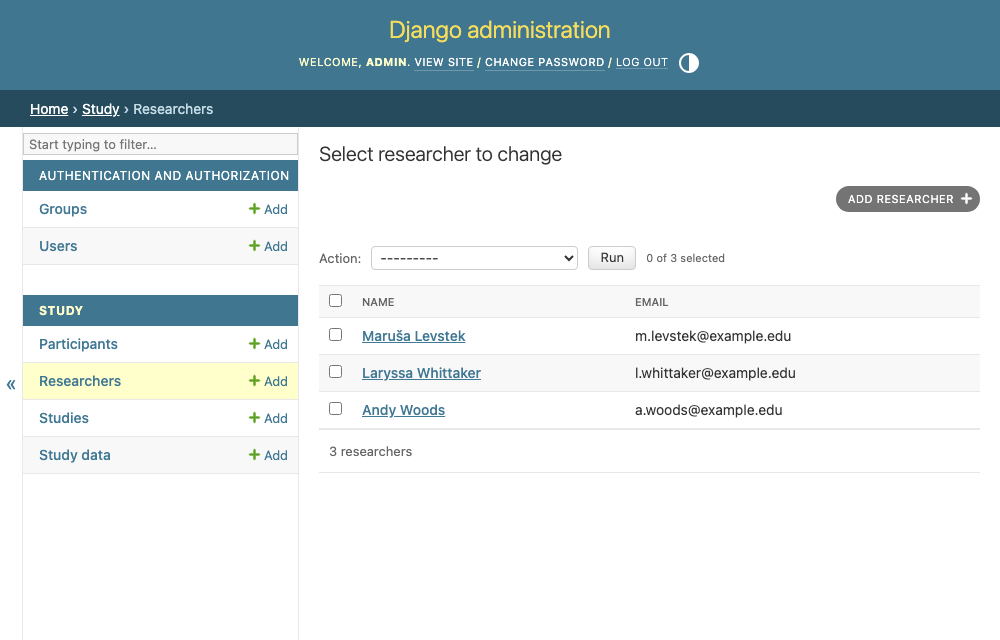
Assigning them to a study is the other half. A raw multi-select box for that is miserable
to use once you have more than a handful of researchers, so filter_horizontal gives you
the friendlier two-pane picker instead. Add the filter_horizontal line to the StudyAdmin you already have (don't register Study a second time):
@admin.register(Study)
class StudyAdmin(admin.ModelAdmin):
    list_display = ["name", "slug", "created"]
    prepopulated_fields = {"slug": ["name"]}
    filter_horizontal = ["researchers"]
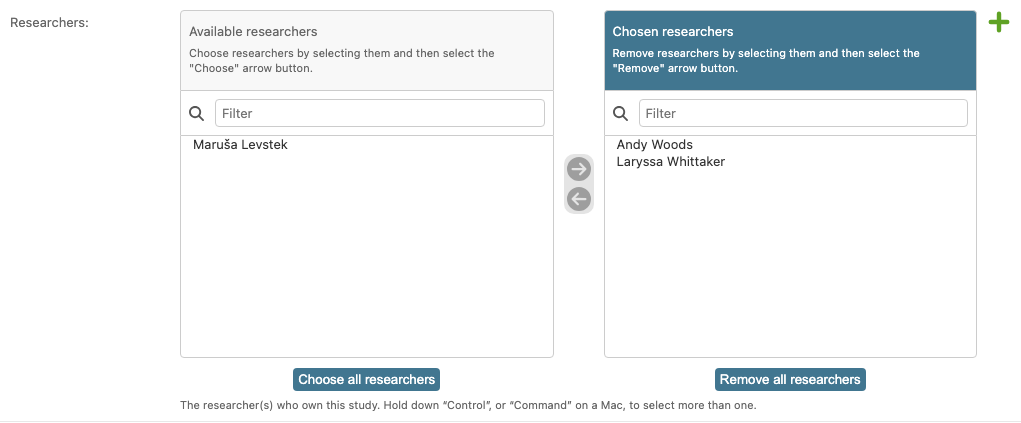
Open a study in the admin and you'll find the picker at the bottom of the form. Move a researcher across, save, and study.researchers.all() now includes them.